Click to earn websites...


Restore Desktop Icons


If you are a big fan of using the My Computer, My Documents and My Network desktop icons on your desktop in the past, this tweak will show you how to display the Windows Vista equivalent icons on your desktop.  In only a few steps you will have the Computer, User's Files and Network and even a Control Panel icon on your desktop if you desire.
  1. Right click on your desktop and select Personalize.
  2. Click Change Desktop Icons under tasks on the top left.
  3. Check the icons you want to display.
  4. Hit OK.

Speed up wireless WAN connections


In Windows Vista the networking components were designed to be much more intelligent and automatically adjust the network settings to optimize the connection speed.  This is a great new feature.  Your network components basically tweak themselves for optimal performance.  In most situations, these components automatically adjust perfectly for best performance. However, with wireless WAN cards the detection of network conditions is flawed and can result in slower network performance.
To fix this problem, Microsoft has released a hotfix for users affected by this issue. If you have a Wireless WAN device,  I suggest you give this hotfix a try.
KB 940646 details:

This problem occurs because of the way that TCP receive window auto tuning is used in Windows Vista for connections that only receive data.
Windows Vista obtains a round-trip time (RTT) estimate at the time of connection setup and every time that a new segment of data that is transmitted. A connection that only receives data is limited to the single RTT sample that is obtained at the time of connection setup. Because the connection only receives data, the connection cannot "converge" to the actual RTT of the connection. For example, because the RTT data may fluctuate for various reasons, a "converge" operation is performed to estimate a meaningful RTT by using blending current and previous RTT data. However, if the connection cannot converge to the actual RTT of the connection, the bandwidth delay product (BDP) estimate that Vista obtains is also incorrect. Therefore, the connection's receive window is limited, and throughput of the connected transmission network is reduced.


Download 32-bit version
 
Download 64-bit version

How To: Detect what process is thrashing your hard drive


Every once in a while you notice that your hard drive is working extra hard for what seems like no reason.  A background process has taken your hard drive hostage, forcing it to thrash loudly as it struggles to keep up with the high rate of reads and writes.  Your computer responds slowly as the process overloads the physical limitations of your drive. What are you to do?
The solution is simple, although a little tricky at times: identify and stop the process that is killing your drive.  There are two methods and tools that you can use to identify the process.
Method 1
  1. Click on the Start Button and key in perfmon.exe /res and hit Enter. This should launch the Resource Monitor on Windows 7 and Windows Vista.
  2. On the overview screen click on the Disk section down arrow to see a list of all processes and the files they are writing or reading from your drives.
  3. Click on the Read, Write or Total headings to sort all disk operations to identify which process and file is currently using the disk the most.

Method 2
  1. Visit Microsoft’s Sysinternals web site and download Process Explorer.
  2. After you have started Process Explorer, click on the View menubar item and then Select Columns.
  3. Click on the Process I/O tab and check:
    • Reads
    • Read Bytes
    • Writes
    • Write Bytes
  4. Hit OK.
  5. You will now see the new columns listed for each process. To identify what process is killing your hard drive, just look for the process with the highest number of Reads or Bytes.

Search the Office 2007 Ribbon with Search Commands

The new interface in Office 2007 has a great new look but finding your favorite feature can be a little difficult at first. Microsoft Office Labs offers a helpful utility called Search Commands that brings search to the ribbon. Can’t find a specific feature? Just search for it!

 
Just download and install the Search Commands utility and you will have a new search tab in Word, Excel and Powerpoint.

Download Search Commands from Microsoft Office Labs

Avira AntiVir Personal 12.0.0.861


Avira AntiVir Personal - FREE Antivirus is a reliable free antivirus solution, that constantly and rapidly scans your computer for malicious programs such as viruses, Trojans, backdoor programs, hoaxes, worms, dialers etc. Monitors every action executed by the user or the operating system and reacts promptly when a malicious program is detected.
Avira AntiVir 12.0 Highlights:

More intuitive User Interfaces – A cleaner, more modern screen design with options organized by function, and a streamlined 2-click install process and automatic resolution of software conflicts during installation. Avira’s software was designed with default configurations to make installation easier, to keep the user safer, and to take the guesswork out of remaining secure. Also, users will discover that many components have been renamed so that every consumer can understand their function without reading the documentation. And best of all, a one-click “Fix Problems” button to solve any issues that might endanger users’ computers.

Smarter Code – Avira software has even further increased detection rates by out-witting malware that hides from ordinary antivirus software. New detection mechanisms find rogue code that hides even deep in the operating system.

Stronger Detection – All components have been fortified in order to better resist malware attacks that target antivirus software specifically. This fortification includes the ability for Avira software to function without many registry keys, better resistance against process termination and component deletion, and many other malware counter-measures.

In addition to a simpler interface, smarter code, and stronger detection, Avira 2012 also focuses on support by adding Live Customer Support for all premium products. If users run into any problems, they can connect directly with a technical support engineer who will fix the problems in real time over the Internet using Avira’s new Team Viewer feature.

Lastly, running two security solutions in parallel can have negative consequences on the stability of the PC and the overall experience with newly installed software. So in order to make the transition to the Avira products version 2012 as easy and painless as possible, automatic detection and removal of potentially incompatible software has been added in all installation programs. No worries, it is possible to select what 3rd party solutions to keep.
  • Detects and removes more than 150,000 viruses
  • Always among the winners of comparison test featured in computer journals
  • The resident Virus Guard serves to monitor file movements automatically, e.g. downloading of data from the internet
  • Scanning and repair of macro viruses
  • Protection against previously unknown macro viruses
  • Protection against trojans, worms, backdoors, jokes and other harmful programs
  • AntiVir protection against viruses, worms and Trojans
  • AntiDialer protection against expensive dialers
  • AntiRootkit protection against hidden rootkits
  • AntiPhishing protection against phishing
  • AntiSpyware protection against spyware and adware
  • NetbookSupport for laptops with low resolution
  • QuickRemoval eliminates viruses at the push of a button
  • Easy operation
  • Internet-Update Wizard for easy updating
  • Protection against previously unknown boot record viruses and master boot record viruses
Download: AntiVir Personal 12.0.0.8 | 79.1 MB (Freeware, non commercial use)

View: AntiVir Website for Product Information

AVG Free Edition 2012.0.1834


AVG Anti-Virus Free Edition is trusted antivirus and antispyware protection for Windows available to download for free. In addition, the new included LinkScanner® Active Surf-Shield checks web pages for threats at the only time that matters - when you're about to click that link.
AVG Anti-Virus Free has these following features:
  • Award-winning antivirus and antispyware
  • Real-time safe internet surfing and searching
  • Quality proven by 80 million of users
  • Easy to download, install and use
  • Protection against viruses and spyware
  • Compatible with Windows 7, Windows Vista and Windows XP
AVG Anti-Virus Free Edition is only available for single computer use for home and non commercial use.
Changelog:
# Fixes & Improvements:
* Update: Fixed issue with update settings conversion while upgrading from previous version.
Download: AVG Free Edition 2012.0.1834 | 154 MB (Freeware)
View: AVG Free Website

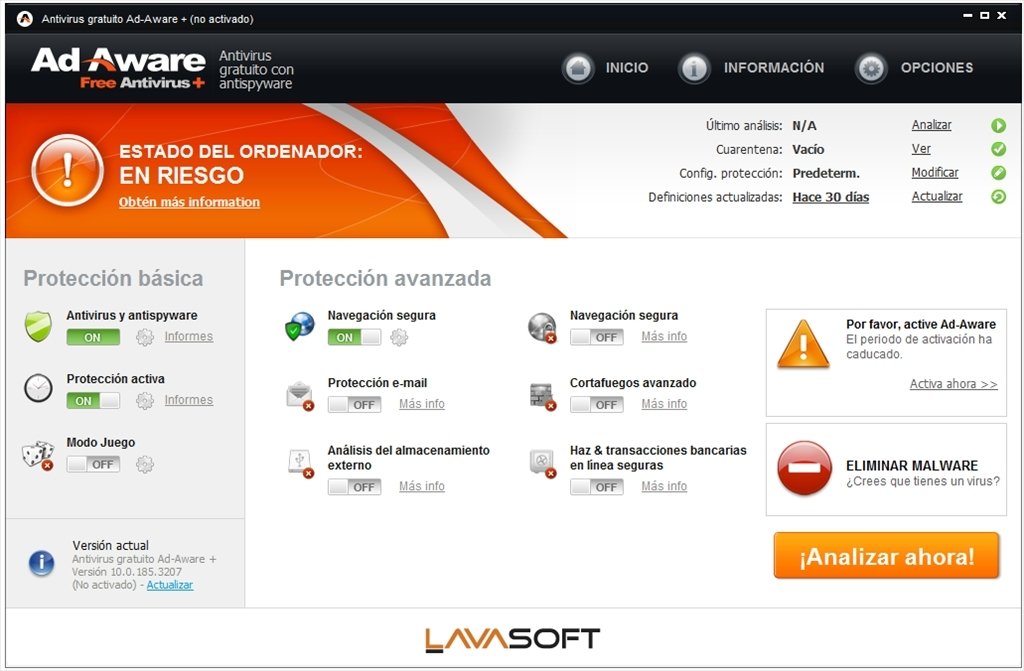
Ad-Aware 9.6.0


Ad-Aware gives you comprehensive malware protection. With real-time monitoring, threat alerts, and automatic updates you can rest easy knowing that you are protected.
  • Shop, bank, and make travel arrangements online - We keep you safe from password stealers, keyloggers, spyware, trojans, online fraudsters, identity thieves and other potential cyber criminals.
  • Control your privacy - Erase tracks left behind while surfing the Web - on browsers such as Internet Explorer, Opera, and Firefox - in one easy click.
  • Get Peace of Mind - Know that your personal information is kept safe from dangerous intruders and prying eyes.
Changelog:
  • Contains the new Security Toolbar
Download: Ad-Aware 9.6.0 | 11.4 MB (Freeware)
View: Ad-Aware Website